
Think about how many accounts you log into in a typical week as a remote worker. Banking apps, coworking portals, client project tools, email, cloud storage, VPN, flight bookings, accommodation platforms, food delivery, messaging apps, freelance marketplaces, crypto exchanges, social media. The list grows fast.
Now add the security reality of the nomad lifestyle: you're logging into these accounts from cafe WiFi in Chiang Mai, a coworking space in Bangkok, an airport lounge in Kuala Lumpur, and a hotel in Bali. Each network is a potential risk. Each reused password is a vulnerability.
A password manager eliminates the two biggest security failures nomads make: reusing passwords and storing them in Notes apps, browser autofill, or spreadsheets. It generates unique, complex passwords for every account and autofills them across all your devices.
NordPass is a password manager developed by Nord Security, the same team behind NordVPN. It launched in 2019 and has quickly become one of the top-rated password managers available, consistently ranking alongside 1Password and Bitwarden in independent reviews.
What sets NordPass apart is its encryption. While most password managers use AES-256 (the industry standard), NordPass uses XChaCha20 encryption, which is considered the next generation of encryption technology. Companies like Google and Cloudflare have already adopted it. Your vault is protected by zero-knowledge architecture, meaning even NordPass cannot see your stored data.
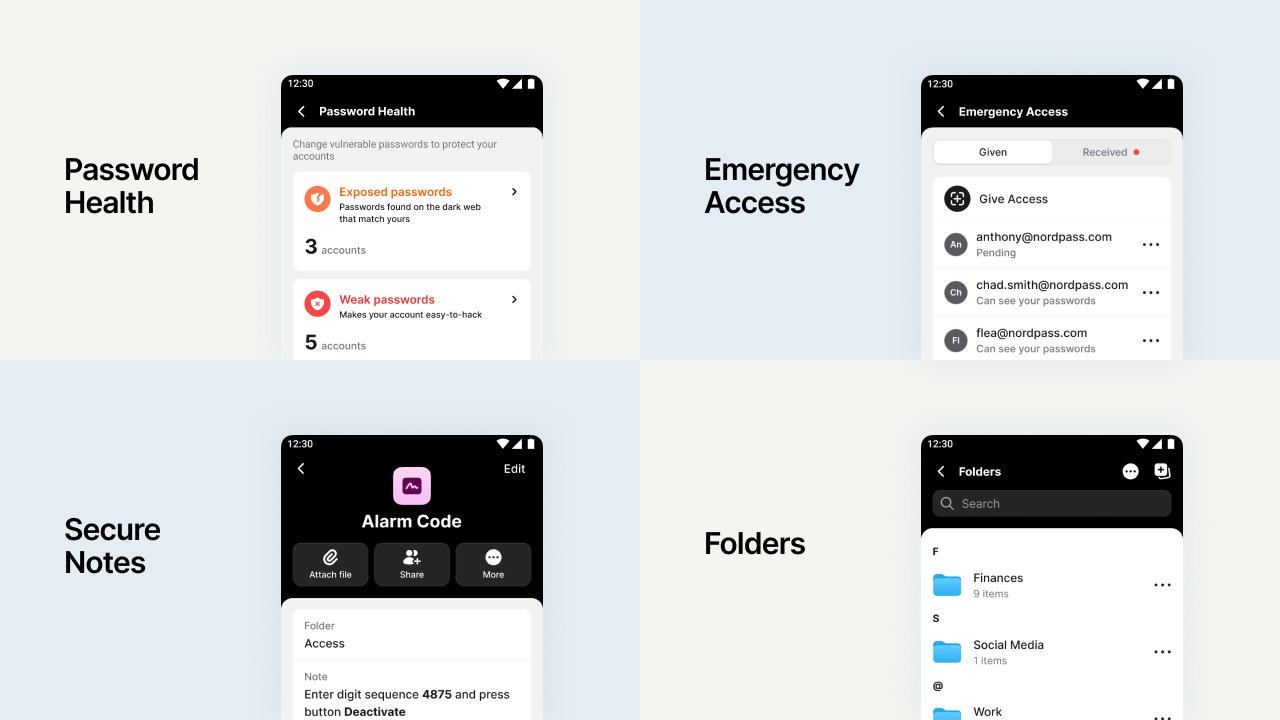
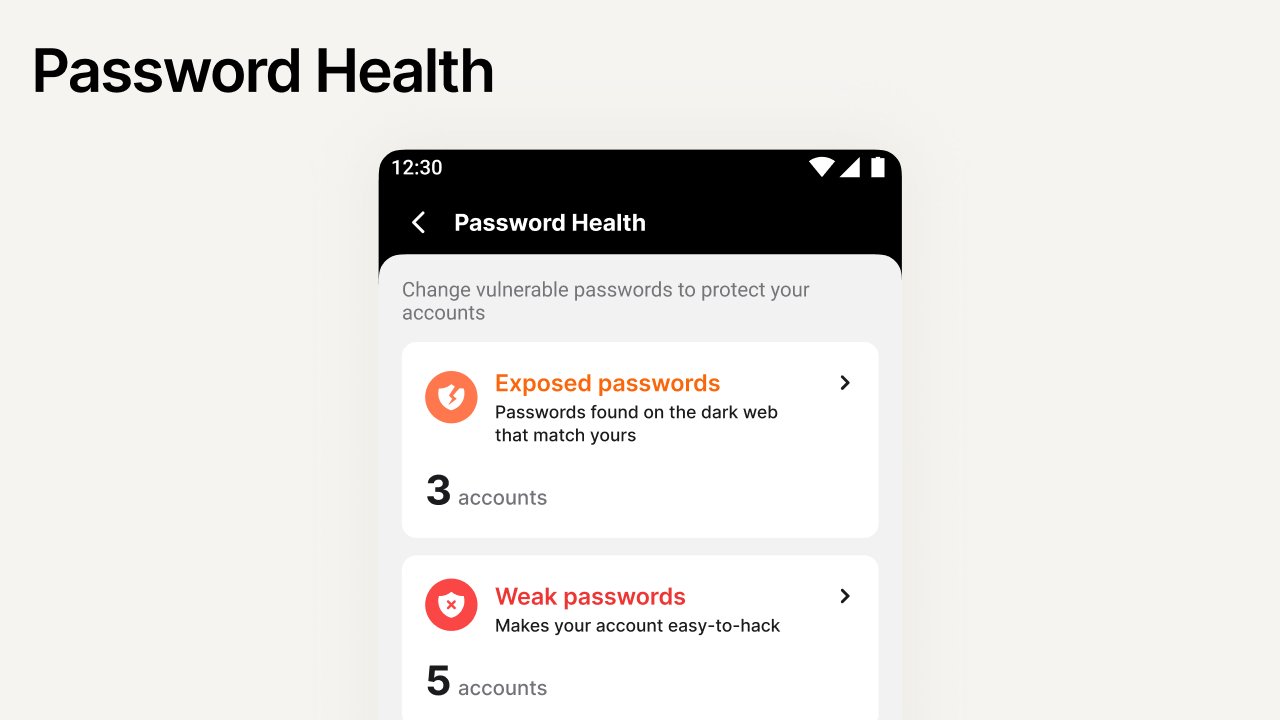
Scans your entire vault and flags weak, reused, or old passwords. Shows you exactly which accounts need attention.
Monitors the dark web for your email addresses and credit card numbers. Sends real-time alerts if your data appears in a breach.
Generates alternative email addresses for sign-ups. Keeps your real email private and reduces spam and phishing attempts.
Works across Windows, macOS, Linux, Android, iOS, and browser extensions for Chrome, Firefox, Safari, and Edge.
Store sensitive documents, WiFi passwords, alarm codes, passport details, and travel documents in encrypted notes.
Grant trusted contacts access to your vault if something happens to you. Essential for solo travelers in remote areas.
Creates strong, unique passwords for every account. No more using "Bangkok2026!" for everything.
Share passwords with clients or collaborators without exposing them in plain text via email or chat.
$1.49/mo on the 2-year plan. 30-day money-back guarantee.
NordPass offers three personal plans. The free version is genuinely useful for basic password management, but the Premium plan unlocks the features that matter most for nomads.
| Feature | Free | Premium ($1.49/mo) | Family ($2.58/mo) |
|---|---|---|---|
| Unlimited password storage | ✓ | ✓ | ✓ |
| Autofill and autosave | ✓ | ✓ | ✓ |
| Password generator | ✓ | ✓ | ✓ |
| XChaCha20 encryption | ✓ | ✓ | ✓ |
| Simultaneous devices | 1 device | Unlimited | Unlimited |
| Password health checker | ✗ | ✓ | ✓ |
| Data breach scanner | ✗ | ✓ | ✓ |
| Email masking | ✗ | ✓ | ✓ |
| Emergency access | ✗ | ✓ | ✓ |
| Secure sharing | ✗ | ✓ | ✓ |
| Users | 1 | 1 | Up to 6 |
NordPass accepts credit/debit cards, PayPal, Google Pay, direct debit, and even cryptocurrency. All paid plans include a 30-day money-back guarantee.
Your laptop dies in Chiang Mai. You buy a replacement and need to log into 30+ accounts. Without a password manager, you're locked out of half of them. With NordPass, you install the app, enter your master password, and every login is right there.
A client sends you login details for their CMS, hosting, or social media via email. That's a security nightmare. With NordPass Secure Sharing, credentials are transferred through an encrypted channel, never exposed in plain text.
You store your coworking WiFi passwords, VPN credentials, and hotel WiFi codes in Secure Notes. They sync across all devices and are always available, even offline.
You're hospitalized after a motorcycle accident in rural Thailand. Emergency Access lets a trusted contact access your vault to manage bills, contact your employer, or handle urgent accounts. This is not hypothetical. It happens to nomads regularly.
You signed up for a Thai food delivery app using your main email. That app gets breached. NordPass Data Breach Scanner alerts you immediately so you can change the compromised password before anyone exploits it.
Save 50% on the 2-year plan. $1.49/mo. 30-day money-back guarantee.
Step 1: Visit NordPass and create your account. The 2-year Premium plan is 50% off at $1.49/month.
Step 2: Set your master password. This is the only password you need to remember. Make it strong and unique.
Step 3: Install the browser extension (Chrome, Firefox, Safari, or Edge) and the mobile app (iOS or Android).
Step 4: Import existing passwords. NordPass can import from Chrome, Firefox, LastPass, 1Password, Dashlane, and CSV files. This takes about 2 minutes.
Step 5: Let NordPass autofill going forward. Every time you log into a site, NordPass offers to save and autofill the credentials. Over a few days, your entire digital life is secured.
If you're already using NordVPN (and if you're working remotely from Southeast Asia, you should be), adding NordPass completes your security setup. NordVPN encrypts your internet connection. NordPass encrypts your credentials. Together, they cover the two biggest attack vectors for remote workers: network interception and credential theft.
NordVPN currently operates 8,900+ servers across 118 countries, delivering some of the fastest speeds available. Paired with NordPass, you get end-to-end protection from the moment you connect to WiFi to the moment you log into your accounts.

NordPass solves a specific and serious problem for digital nomads: managing dozens of accounts securely across multiple devices and countries. Premium at $1.49/month gives you password health monitoring, data breach scanning, multi-device sync, emergency access, and 3 bonus months of NordVPN.
The XChaCha20 encryption is genuinely ahead of most competitors. The interface is clean and intuitive. The cross-platform support means it works whether you're on a MacBook in a Bangkok cafe, an Android phone in a Chiang Mai taxi, or a Windows laptop in a Bali coworking space.
For less than the price of a street food meal in Thailand, you get peace of mind that your digital life is locked down. If you're working remotely from anywhere in Southeast Asia, NordPass is worth having alongside your VPN.
$1.49/mo on the 2-year plan. 30-day money-back guarantee. Affiliate link.
🔒 Why Every Nomad Needs a VPN in Thailand

🎯 Explore Thailand Activities & Tours